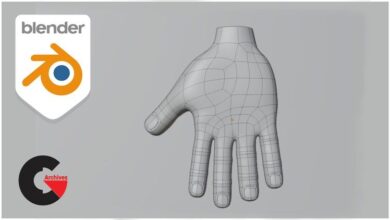
Blender: Stylized character creation for videogames

Blender: Stylized character creation for videogames
Blender: Stylized character creation for videogames : Learn the whole process of creating PBR characters with Blender tools.
The complete workflow to create characters for videogames in Blender.
How to make a character blocking based on a referent, focusing in a good silhouette and correct proportions.
How to make a character with high level of detail using digital sculpting and modeling tools.
How to make a low poly version of the character fully optimized for animation and game engines.
How to make an optimized UV display to be able to project textures on our character.
How to extract all the details from the high poly model and project them on the low poly model using map baking.
How to use and create textures to make PBR materials with the Blender Shader Editor.
How to export the final texture maps to be used in any rendering or video game engine.
How to render and create a professional-quality presentation for our portfolio.
In this video game character creation course you will learn everything you need to create stylized characters with Blender.
During this course you will learn how to create PBR characters fully optimized for video games, we will apply different techniques depending on the needs of our project.
We will follow the following workflow:
1. Blocking: we will make the model with very basic geometries to have a general silhouette of our character with its respective accessories.
2. High poly: We will detail completely the high poly model to achieve a clean surface and a high level of detail.
3. Low poly: we will make an optimized low poly version using retopology and other optimization methods.
4. UVs and bakes: We will do the UV unwrap and extract all the details with the map baking.
5. Texturing: We will do the material texturing process in Blender using the node editor.
6. Rig and Presentation: Finally we will rig our character to be able to pose it and make the final presentation.
Direct download links 33 GB :

Direct download link reserved for subscribers only This VIP
Dear user to download files, please subscribe to the VIP member
- To activate your special membership site, just go to this link and register and activate your own membership . >>>register and activate<<<
- You can subscribe to this link and take advantage of the many benefits of membership.
- Direct downloads links
- No ads No waiting
- Download without any limitation ، all content in website
CGArchives Is The Best
Review
Review
Rate this post