Creative Beginnings: Photoshop & Illustrator Essentials-2in1
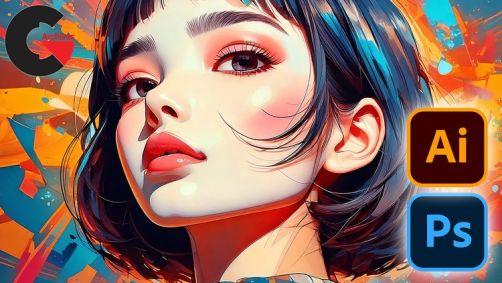
Creative Beginnings: Photoshop & Illustrator Essentials-2in1
Creative Beginnings: Photoshop & Illustrator Essentials-2in1 : Design with Confidence: Learn the Foundations of Photoshop and Illustrator in This Beginner-Friendly Course
Students will learn how to use Adobe Illustrator CC.
Students will learn how to create designs and drawings using Adobe Illustrator CC.
Students will learn how to to translate their existing artwork into vector format using Adobe Illustrator CC
Students will learn how to learn how to create amazing digital artwork using Adobe Illustrator CC
You’ll learn how to use Adobe Photoshop CC like a professional.
You’ll learn how to start earning money from your Photoshop Skills.
You’ll learn how to create graphics from scratch in Adobe Photoshop CC.
You’ll learn how to fix the colors in photographs in Adobe Photoshop CC.
You’ll learn how to create a paper cut reveal effect in Adobe Photoshop CC.
You’ll learn how to create the money effect in Adobe Photoshop CC.
You’ll learn how to turn a photograph into an art work in Adobe Photoshop CC.
You’ll learn how to turn an image into an oil painting in Adobe Photoshop CC.
You’ll learn how to remove people from images in Adobe Photoshop CC.
You’ll learn how to change the color of images in Adobe Photoshop CC.
You’ll have over 20 of your own projects to add to your portfolio.
You’ll learn how to bend images to reveal background images in Adobe Photoshop CC.
You’ll learn how to remove blemishes from a photograph in Adobe Photoshop CC.
You’ll learn how to change yellow teeth to white teeth in Adobe Photoshop CC.
You’ll learn how to create duotone images like the Spotify effect in Adobe Photoshop CC.
You’ll learn how to create amazing typography in Adobe Photoshop CC.
You’ll learn how to resize Images in Adobe Photoshop CC.
You’ll learn how to create posters in Adobe Photoshop CC.
You’ll learn how to crop images in Adobe Photoshop CC.
You’ll learn how to straighten the horizon of a landscape image in Adobe Photoshop CC.
Are you ready to bring your creative ideas to life with two of the most powerful design tools in the industry? Welcome to Adobe Photoshop and Illustrator Essentials for Beginners, your ultimate 2-in-1 course designed to fast-track your design journey—whether you’re completely new to design or looking to sharpen your skills!
Why This Course is Perfect for You!
In this comprehensive course, I’ve done the hard part for you—taking complex concepts from both Photoshop and Illustrator and breaking them down into easy-to-follow lessons. You’ll learn the essentials of design, editing, and vector art from the ground up, step-by-step, at your own pace. Best of all, you’ll be practicing your skills from day one with real-world projects that will help you cement everything you’ve learned.
What You’ll Learn:
We’ll start by getting familiar with the interface of Illustrator, and learning how to draw out ideas using the powerful tools it provides. We’ll learn about colors, fonts and type, and also masking in Adobe Illustrator. In later parts of the Illustrator course, we’ll learn how to use the 3D feature in Illustrator, we’ll learn how to use several Effects, Object options, shape patterns and lots more.
After we complete the Illustrator course, we’ll dive straight into the Adobe Photoshop course. No prior experience is required as well because I’ll guide you through every step.
We begin the Photoshop course by learning the very foundational skills in Photoshop such as navigating the interface, starting a new project, understanding the working concept of layers, and customizing Photoshop’s interface to suit your creative needs.
From there on, we learn how to color correct images, basically putting life into dull images. We then learn how to export files from Photoshop for different purposes, and how to create, modify and use shapes in Adobe Photoshop. We then learn how to create and use texts, smart objects, and how to crop and straighten images in Photoshop, after which we then jump into layer styles, blending modes, selecting and cutting, masking, transform and distort, filters and effects, image retouching and enhancement, and then brushes.
After we’ve covered all of this, we’ll then go on to work on our final projects, in which you’ll get the opportunity to review most of what you’ve learnt in past modules and even learn a few new tricks.
Direct download links 14.5 GB :
Direct download link reserved for subscribers only This VIP
Dear user to download files, please subscribe to the VIP member
- To activate your special membership site, just go to this link and register and activate your own membership . >>>register and activate<<<
- You can subscribe to this link and take advantage of the many benefits of membership.
- Direct downloads links
- No ads No waiting
- Download without any limitation ، all content in website
CGArchives Is The Best
Review
Review
Rate this post